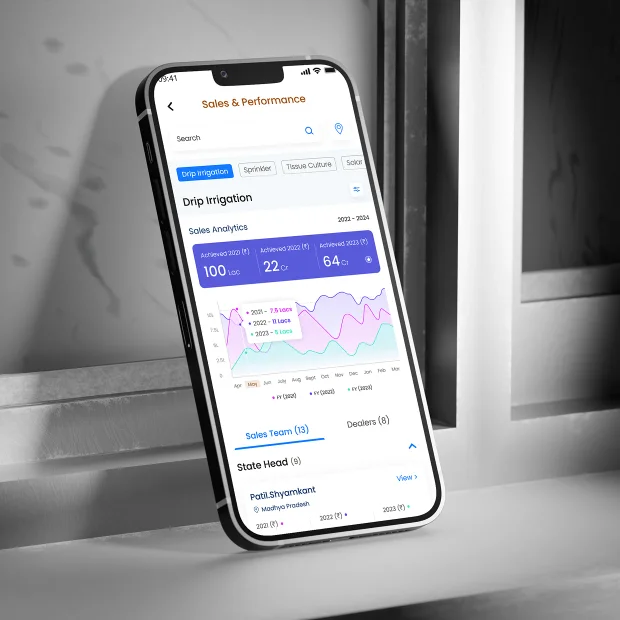
Jain Irrigation Systems • Agri - Sales Enablement • Mobile APP
Jain Dealer Connect - One dashboard for every level of sales.
Client
Jain Irrigation Systems - (Jain Dealer Connect JDC)
Industry
Agri - Sales Enablement
Role
UX Research · End to End Product Designer
Target Audience
Employee Sales Dealers
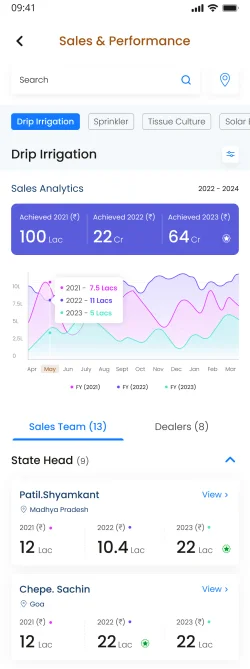
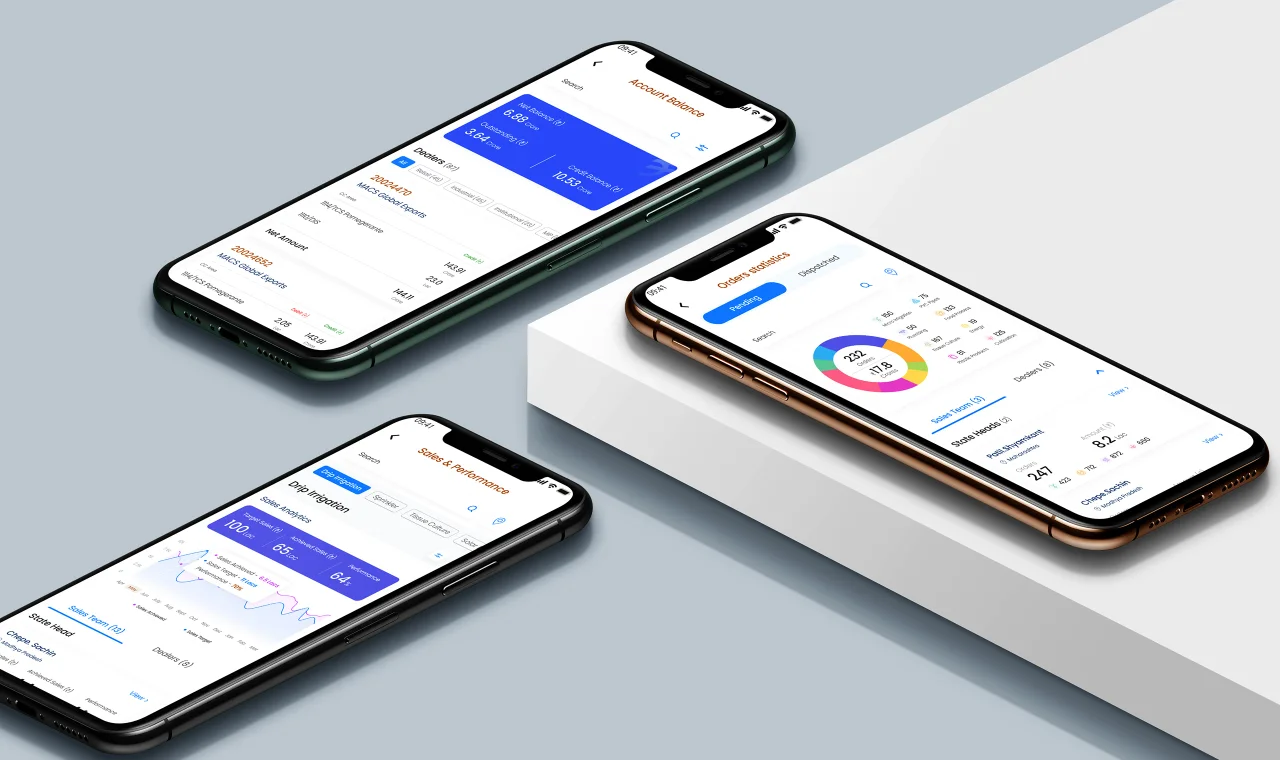
Redesigning how Jain Irrigation's sales team sees its own numbers - Pending and Delivered Orders, Monthly Targets and Account Balances - across 8 product categories and a 5 level management hierarchy.
The Setup001
A new brief: The dashboard behind the dealer network.
With the customer-facing showcasing app shipped, the client came back with a very different brief: an Admin-and-Dealer application built entirely around hierarchy, salesperson data and managerial activity.
A salesperson needed to raise a new order, manage it through to delivery, and track the financials behind it - while every level above them saw the orders, payments and targets relevant to their role.
8
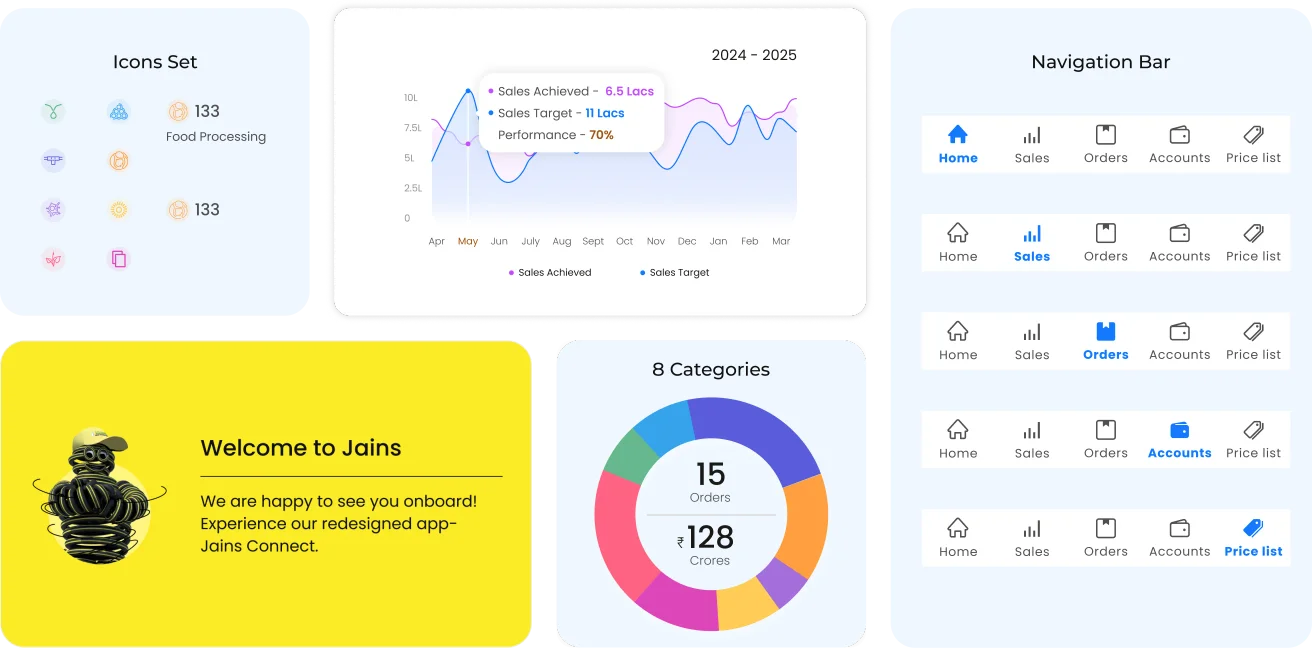
Drip Irrigation · Sprinkler · Solar · Tissue Culture · PVC · Food Processing · Renewable Energy & more
Product categories in one comparison view
5
Aggregated reports down to individual performance (Sales, targets, performance)
Management levels, top to salesperson
1st
Extra attention went into usability, and it pushed me to think in more directions towards solutions.
My first dashboard project
UX Strategy & Methodology
I ran structured interviews across two hierarchy levels, mapped the existing data model by hand, and validated each design decision against a real sales scenario before building it.
Stakeholder Interviews
Data Modeling
Hierarchy Mapping
The problem002
The old system was too simple to be useful.
Across conversations with Salespersons and managers, one thing kept surfacing - the system held all the data, but gave nobody a way to act on it. Listing the pains as we understood them from the field:
Reframed as user problems
01
No order categorisation
Pending and dispatched orders shown as one flat list, with no way to filter across 8 product categories.
02
Categories that didn't compare
Each product category tracked on a different scale — comparing performance across them meant manual cross-referencing.
03
One dashboard, five roles
The same screen served sales persons, regional managers and top management, with no way to see only what a role actually needed.
04
Account status buried
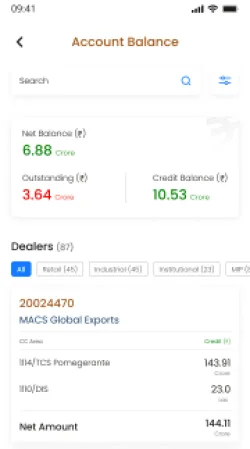
Outstanding amounts and balances lived outside the daily order flow, so sales persons had no early warning on dues.
05
No target-vs-actual view
Sales targets and achieved numbers sat in separate reports, with no simple way to see how far off the target you were.
06
Built for a desk, used on the move
Dealers needed this in the field, but the existing system assumed a browser and a desk.
What Jain Connect does
I
Raise, Manage and Track Orders
A salesperson creates an order, follows it through dispatch, and tracks the truck and its financials.
II
Analyse Sales and Targets
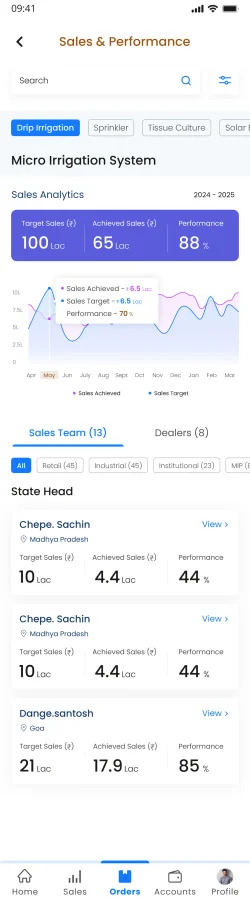
Achieved sales against monthly targets - for an individual and at every hierarchy level.
III
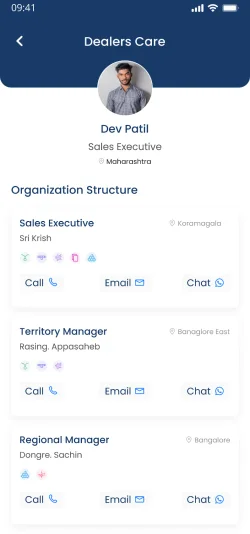
Hierarchy - level Management
Five levels, one system - each role sees the depth of data it actually needs.
Aha Moment !
Both Rajeev and Sunil were drowning in the same flat data. The fix wasn't more numbers — it was shaping the data to whoever was looking. Aggregate at the top, detail at the bottom, and let the login decide the view. That single insight set the direction for everything that followed.
Our research
How we got here
Before designing anything, we grounded the brief in how the sales team actually works — talking to the people who live in this data every day.
3
Connected virtually with salespeople the client arranged - hearing how orders and targets really move on the ground.
Salesperson interviews
2
Admin (behind the customer view) and dealer - one system serving very different needs and permissions.
Sides to design for
Studied comparable admin and dealer apps to borrow patterns worth keeping and spot gaps worth fixing.
Competitor scan
Who felt it — two ends of the hierarchy
Rajeev
Regional Manager · Age 40
Organized
Thinker
Introvert
Goals
Consistently hit sales targets and exceed quotas.
Develop and manage a high-performing sales team.
Pain points
No hierarchy structure across order sales and performance metrics.
Managing complex sales cycles with many order statistics.
Behaviours
Regularly reviews sales data and performance metrics.
Proactively identifies and addresses customer concerns.
Sunil
Sales Person · Age 29
Overloaded work
Reactive
Field-first
Persistent
Goals
Finally hit this month's target after falling short.
Know which orders and categories to chase first.
Pain points
Trailing target with no clear view of the gap left to close.
Loses track of pending vs. dispatched orders and outstanding payments.
Behaviours
Works mostly from mobile, out in the field.
Reacts to whatever is urgent instead of planning ahead.
The Process003
From flat data to 3 design decisions.
We took the pain points from the interviews and the data-driven findings from the research and converted each one into a concrete design decision. Working closely with my senior and the client, I mapped every metric the sales team relied on, then tested where it belonged in the hierarchy — three decisions did most of the heavy lifting.
Step 01
Map the metrics
Listed every number each role needs, across all eight categories.
Step 02
Shape by hierarchy
Decided what each of the five levels should see, and at what depth.
Step 03
Design & iterate
Built one reusable frame so categories stay comparable at a glance.
Step 04
Refine post-launch
Folded real client and sales-team feedback into three revisions.
The design language
Colors
Primary Blue#1479FF
Primary Black#101010
Typeface
Poppins
AaAa
The Solution004
Detailed tracking, Shaped by hierarchy.
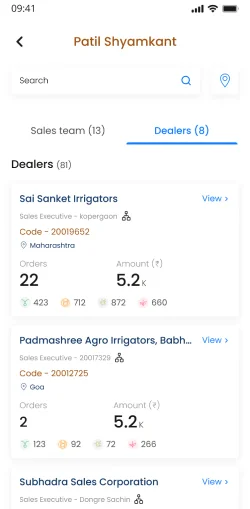
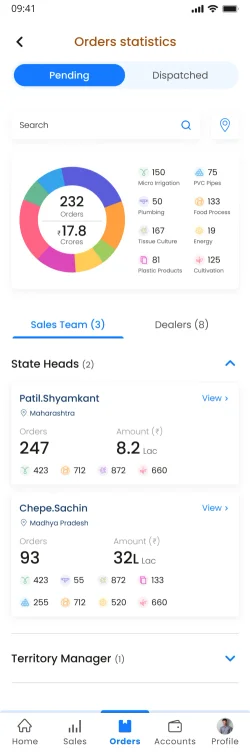
One dashboard covering orders, financials and targets - where the same system reshapes itself for every login, from a Zonal Head's overview down to a single Sales Executive's day.
I
5 levels,one source of truth
Login decides scope — aggregate at the top, a person's own orders and targets at the bottom.
II
8 categories, only one frame
Mismatched category data made comparable — switch the tab, keep the same analytics layout.
III
Target vs achieved, at a glance
Over- and under-achievement read instantly, with a per-category breakdown in crores.
The Outcome005
One dashboard, five levels, decisions in a glance.
01
take away
A real understanding of hierarchy-level design - modelling how the same data should change shape as it moves up and down an organisation.
02
take away
My first time handling the admin app - the layer behind the customer view - and designing for permissions, not just screens.
03
shipped as
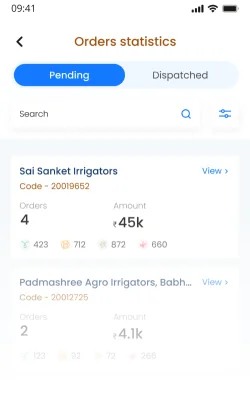
Detailed tracking of pending and dispatched orders with truck tracking, segmented across all 8 product categories.
04
shipped as
Login-based visibility - higher managers see orders, payments and targets across every location; a salesperson sees only their own.
What I learned
As my 1st dashboard Project - and my first admin app behind a customer-facing product - this project reshaped how I think about presenting data. I learned to design around hierarchy and login-based permissions, and to structure complex, mismatched data into something a busy salesperson can actually read and act on.
"The best dashboards don't show more — they show less, to the right person."